
Researchist is an academic PDF reader for Mac, iPad, and iPhone. It keeps your papers in one library, reads each paper on your device, and turns it into something you can navigate: an outline, section summaries, figures, tables, and a linked reference list.
The two main screens
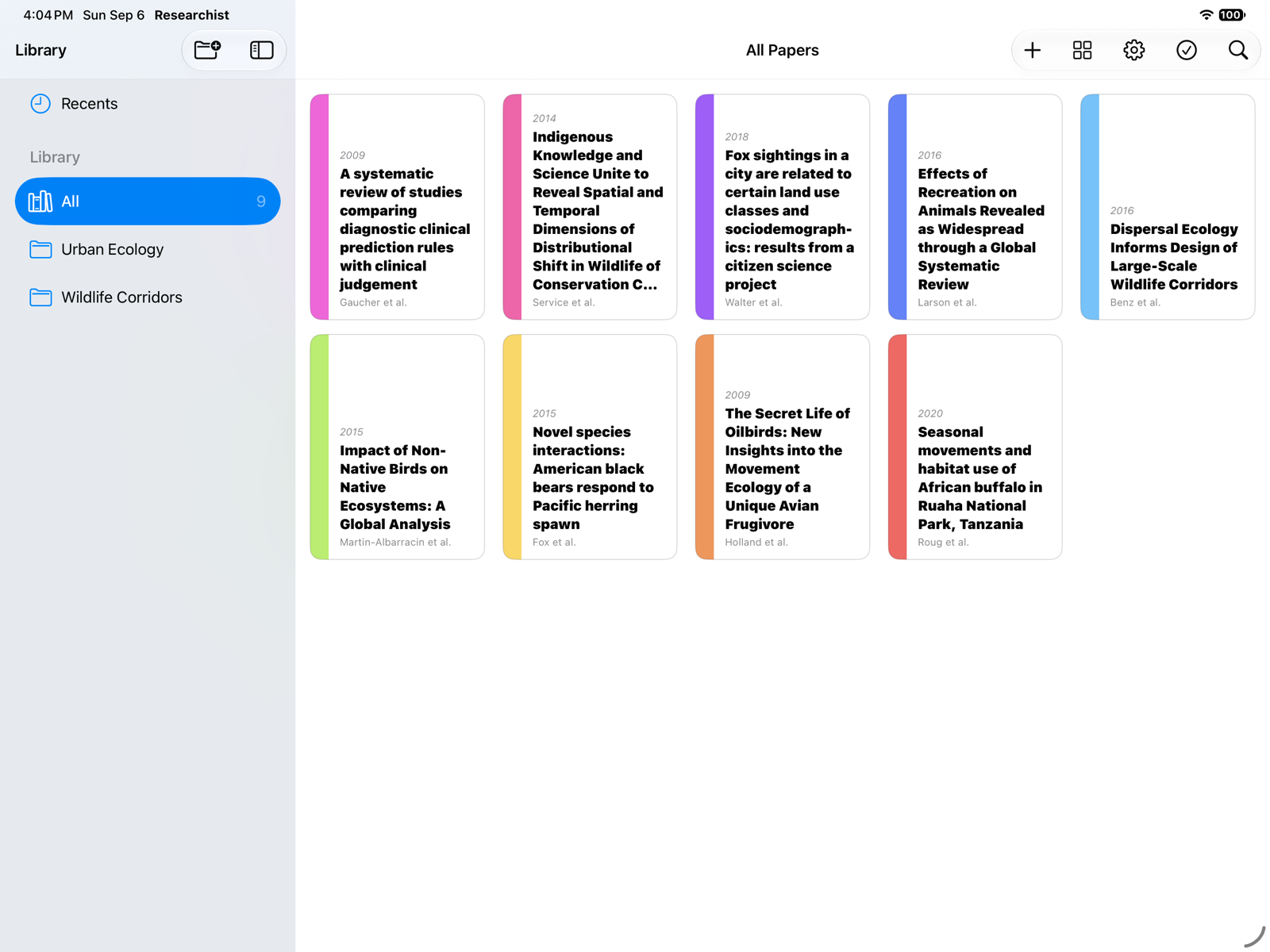
Library: every paper you have added, with a sidebar for Open Tabs, Recents, All, and your collections.
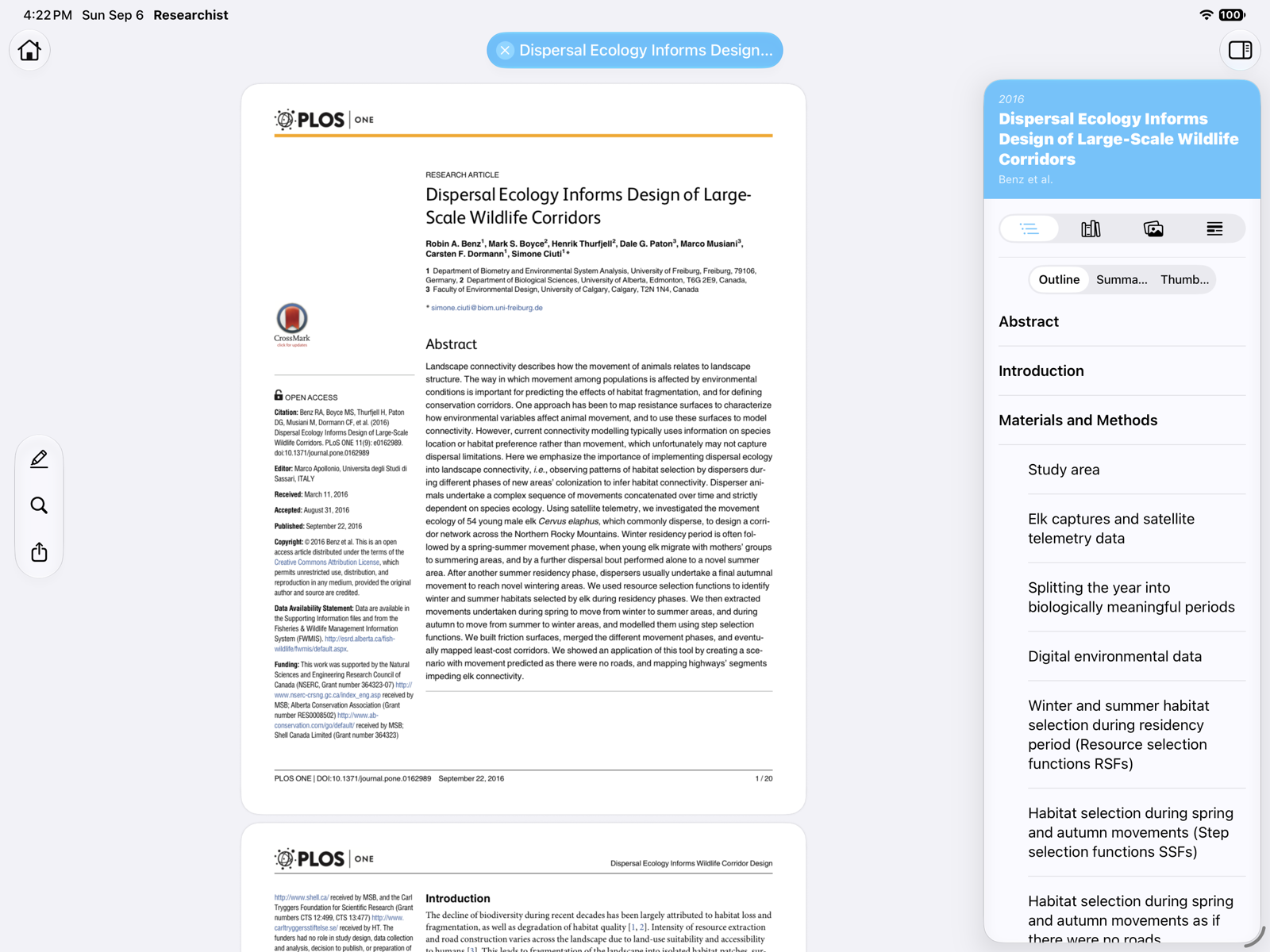
Reader: the paper itself, with a floating toolbar for highlighting, search, and sharing, and an inspector on the right with four tabs: Outline, References, Elements, and Highlights.
Free and Pro
Reading, highlighting, and notes are free, with no limit on the number of papers. A Researchist Pro subscription unlocks Paper Intelligence (extraction), quick access to linked papers, collections, and color themes and cover styles. See Subscription, Free Tier & Essayist Discount.
Suggested first steps
- Add a few PDFs. See Adding Papers.
- Open one and run Paper Intelligence. See Paper Intelligence.
- Tap a citation in the text to jump to its reference. See Citations & References.


.svg)
