
After Paper Intelligence has processed a paper, every in-text citation is linked to its entry in the reference list, and every reference can take you to the source.
Follow a citation
- Tap a citation in the text, for example [12] or (Smith et al., 2021).
- A popover shows the cited reference. If the citation points to several references, swipe or use the arrows to move between them.
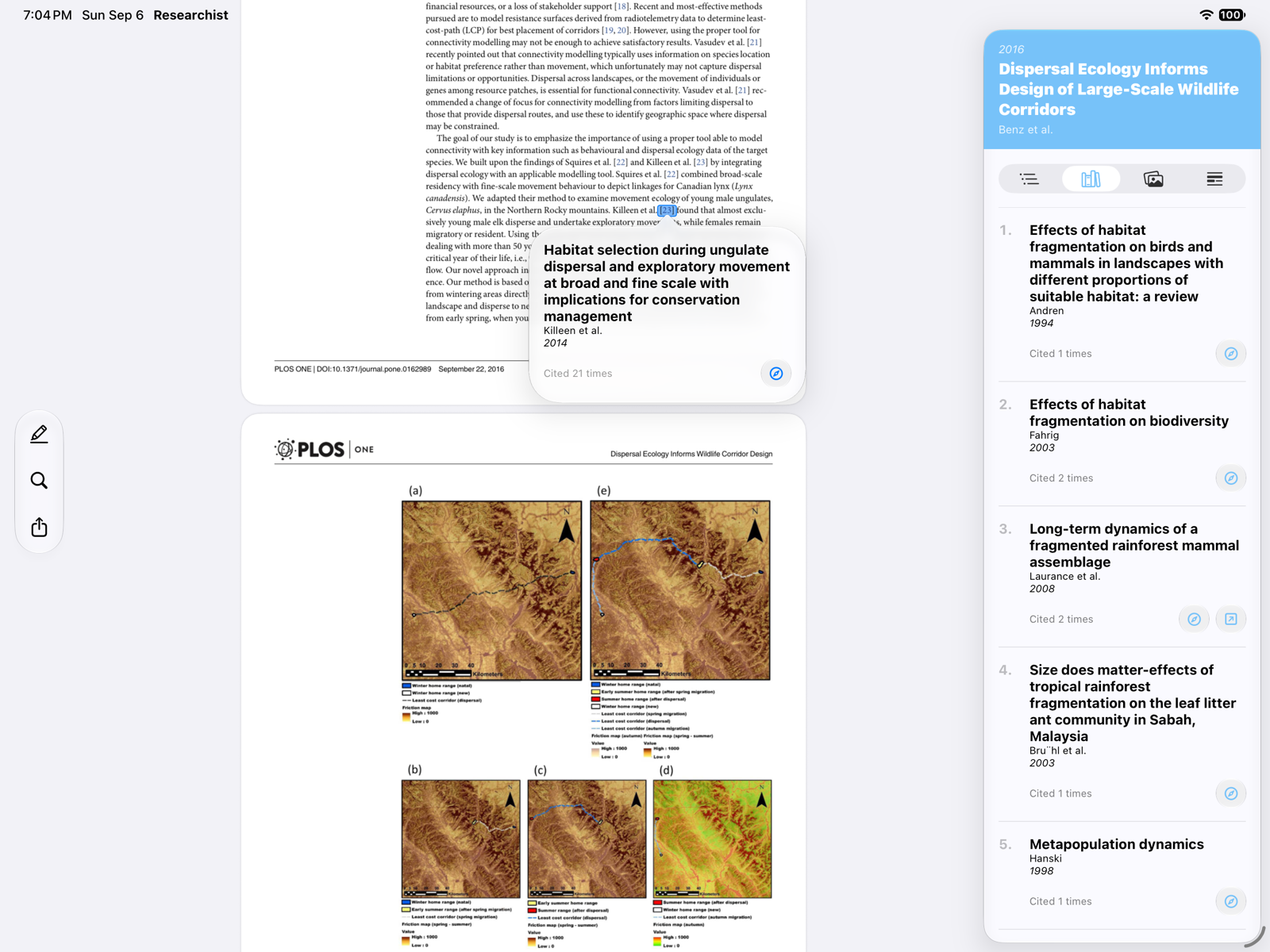
Each reference card shows how often it is cited in the paper and offers up to three actions:
- Open on web: opens the paper via its DOI, arXiv, PubMed, or Google Scholar link.
- Open PDF: downloads the paper into your library when an open-access PDF is available, and opens it.
- Saved to library: shown instead when the paper is already in your library; tap to open it.
The card's menu lets you switch between Show Styled and Show Raw Text, which is the reference exactly as printed in the paper.
The reference list
Open the inspector and choose References to browse the whole reference list with the same actions.
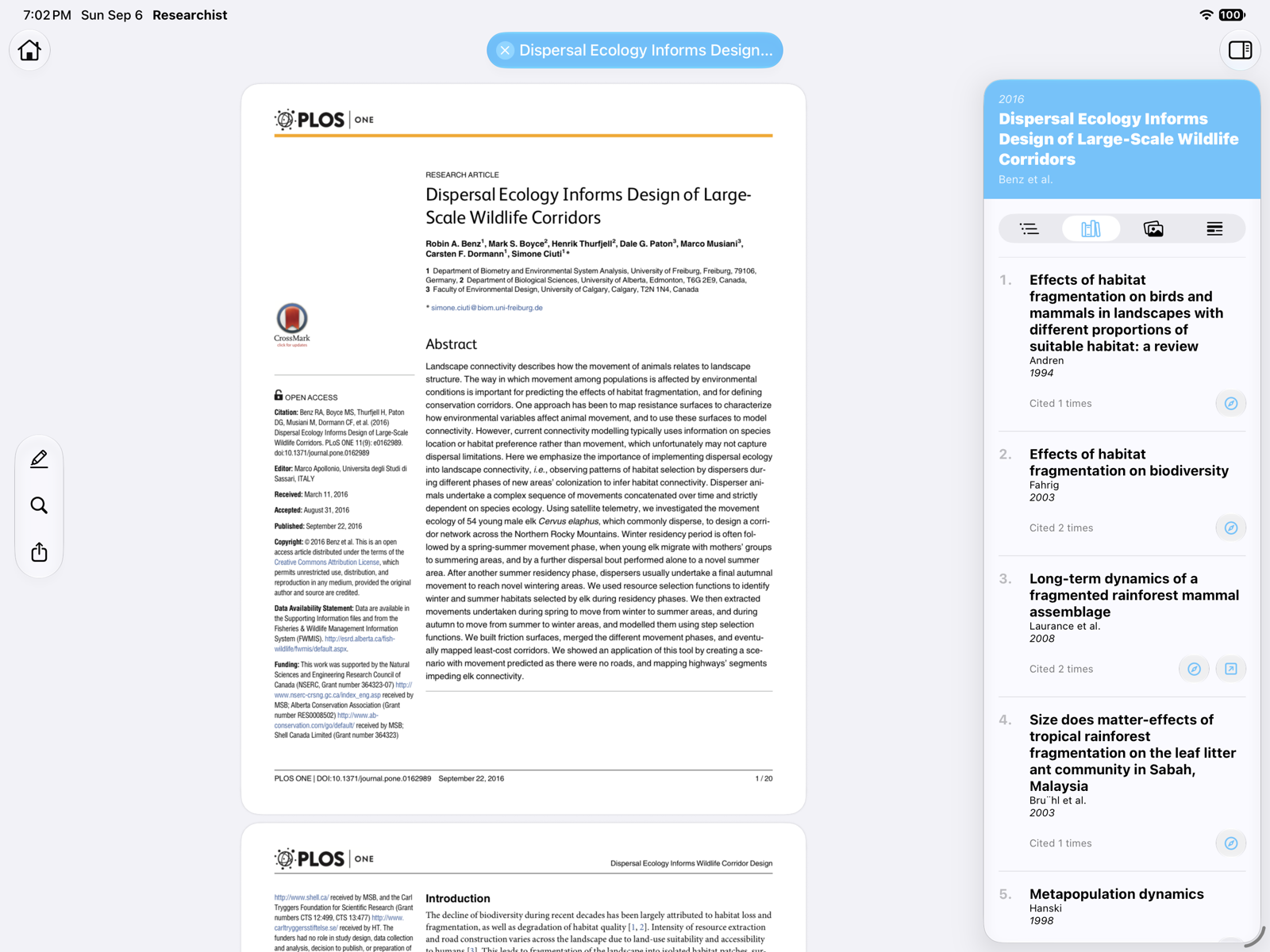
Reading a chain of papers
Because Open PDF adds the source to your library, you can follow a citation, read the source, follow one of its citations, and so on. Every paper you open this way is waiting in Recents.
Following citations and opening linked papers requires a Researchist Pro subscription. Reference details need an internet connection the first time they are looked up.


.svg)
